
The Dobby Ecosystem: How I Built a 24/7 AI Assistant

This started as me trying to explain to a friend why I talk to my phone so much. It turned into something bigger.
A month ago, I named my AI assistant Dobby. It's one of Jess's nicknames for me—an inside joke that stuck. Now Dobby runs on a Raspberry Pi in my office, listens on WhatsApp, Slack, and Telegram, and handles everything from digesting customer support tickets to checking my Oura ring data before I wake up.
This isn't a chatbot. It's not ChatGPT in a wrapper. It's a system I've been deliberately building—custom memory, git-backed persistence, automated recovery, and workflows tuned to how I actually work.
Here's what I've built.

Voice-First Everything
I dictate most of my communication now. Driving, cooking, walking around the house. The friction between thought and action basically disappeared.
When I send a voice note, it gets transcribed locally using whisper.cpp on the Pi—no cloud latency, no external API calls. A sentiment layer detects whether I'm stressed or relaxed and adjusts the response tone accordingly. If I'm clearly frustrated, Dobby doesn't give me a cheerful "Great question!" It cuts to the chase.
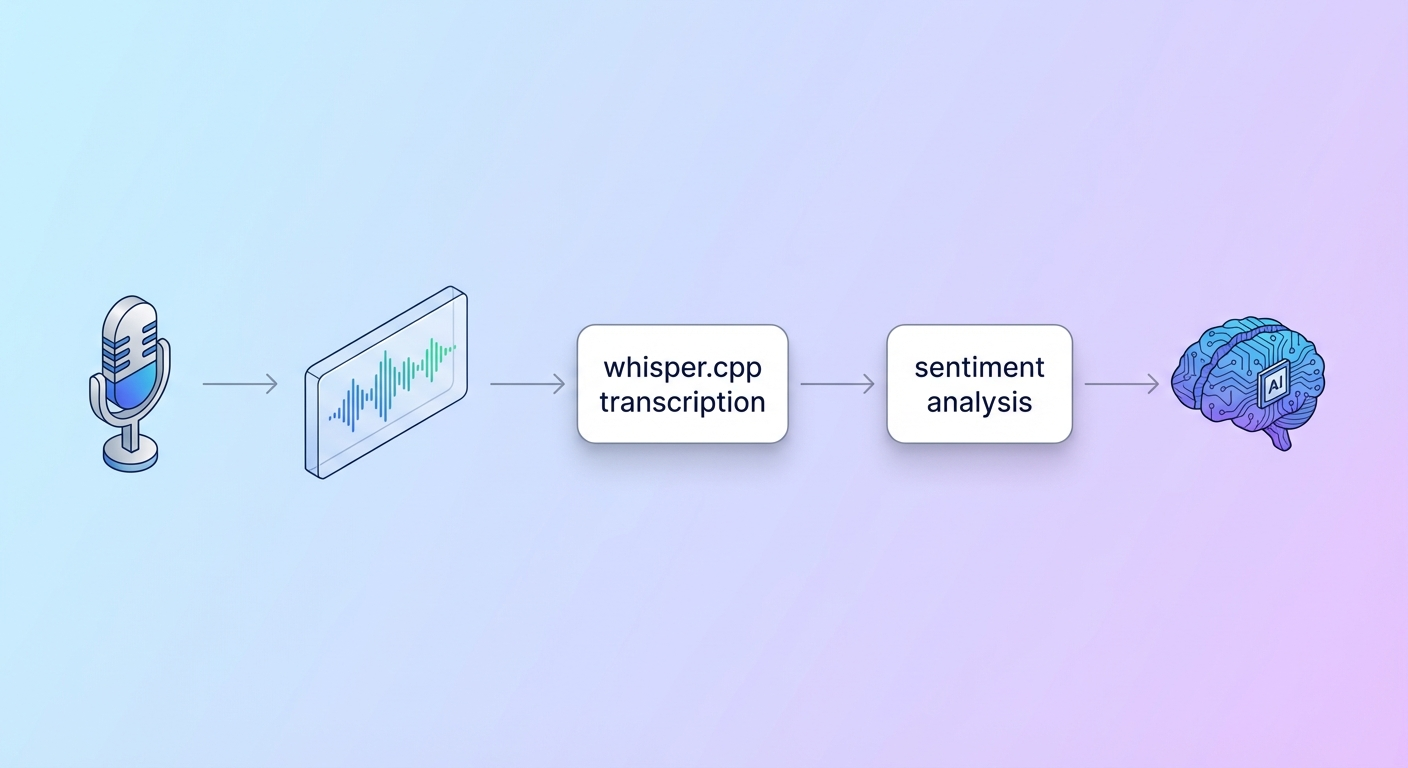
This morning I sent a voice note about support tickets while making coffee. By the time I sat down, Dobby had drafted responses for five stale tickets, flagged one that needed my attention, and closed two spam messages. Reviewed, tweaked, approved. Done before I'd even finished the cup of coffee.
Memory That Actually Works
The biggest problem with AI assistants is amnesia. Every conversation starts fresh. Context gets lost. You repeat yourself constantly.
I solved this with git-backed persistence. Every memory file, every daily log, every configuration change:
- Auto-committed with meaningful messages
- Auto-pushed to GitHub
- GPG signed for verification
When context compacts (conversations hit token limits and get summarised), nothing is lost. The full history lives in git. I can recover any previous state, see exactly what changed when, and never lose work.
For recall, I built a semantic search layer using vector embeddings. When Dobby needs to remember something from weeks ago, it doesn't grep through files—it runs similarity search across indexed memory:
qmd query "what happened at Christmas"   # Semantic search
qmd search "specific phrase"              # BM25 keyword search
Daily logs capture raw context. Important stuff gets distilled into long-term memory. Details fade but remain searchable—like how human memory actually works.

Compaction Recovery
When a session resets (token limit hit, Pi reboots, whatever), context needs to recover gracefully.
I built a recovery workflow that:
- Checks session logs for what was being worked on
- Pulls the last 30 minutes of conversation before compaction
- Reconstructs enough context to continue seamlessly
Dobby also monitors context usage in real-time:
- 60% — Auto-save current work to daily memory (silently)
- 70% — Alert me + save
- 80% — Stop new work, save everything, prepare for reset
I never lose work because I wasn't paying attention to token counts.
Proactive Check-ins
Dobby doesn't wait to be asked. Cron jobs fire three times daily:
6:30 AM — Morning briefing
- Weather for the day
- Calendar events coming up
- Overnight emails (urgent ones flagged)
- Support tickets waiting >24h
- Oura data: readiness, sleep score, temperature deviation
I start my day with a summary pushed to WhatsApp. If my HRV is tanked or temperature elevated, Dobby suggests an easy day before I even check the Oura app.
12:00 — Lunch check
Anything urgent? API status? Active threads update.
6:00 PM — Evening wrap
What got done? Pending reminders? Context save before EOD.
Custom Skills
I've built specialised skills for my specific workflows:
Intercom Support — Morning check flags tickets waiting too long. Dobby drafts responses based on patterns from previous tickets. For common issues (like our iOS data loss incident last year), it knows the exact template, offers the right compensation, includes redemption instructions. I review and approve—sent directly via API.
Coding Agents — Heavy development work doesn't happen in my main conversation (burns tokens too fast). Instead, Dobby spawns isolated coding agents running Codex with GPT-5.2. They work on feature branches, create PRs, update Linear tickets, and report back when done. Parallel work while my main context stays responsive. The beauty of it, is now with the new Codex app, I can see each spawned thread, see the diffs, test the work, all from a message to Dobby, in WhatsApp (or Slack, or Telegram).
Onboarding & UX Research — A skill built from research across 200+ apps (via Appcues and DesignerUp). When I'm designing onboarding flows, Dobby references patterns that work: personalised journeys, progressive disclosure, emotional engagement, friction-reduction. It helped me completely redesign our stealth app onboarding in a single session.
Video & Content Generation — Remotion integration for programmatic video generation. Sora 2 Pro for AI-generated clips. LaMa-based watermark removal for cleaning up generated content (I use this very sparingly, but it is there when needed). The whole pipeline from prompt to rendered video, uploaded to our shared asset bucket.
Flight Check-in — 24 hours before any flight, Dobby automatically checks in, selects my preferred seat (aisle, front, right side), and sends me the boarding pass. No more calendar reminders to check in manually.
Browser Automation — Playwright-based automation for complex flows. QA testing of our apps. Grocery ordering (Woolworths Dash, Pick n Pay). Anything that requires clicking through a website, Dobby can handle while I focus on other things.
Health Integration — Oura ring data (sleep, HRV, readiness, temperature) and Intervals.icu training metrics integrated into morning briefings. If something's off, I know before I feel it. It also has access to my training schedules and can advise me if I need to shift things around.
Music Context — Last.fm integration tracks what I'm listening to. Dobby can save tracks to a favorites list, note music mood, reference what was playing earlier.
Notes & Tasks — Direct read/write to my Obsidian vault. Task lists, project docs, blog drafts. All git-synced automatically.
Therapy Mode — Voice-based capture for informal therapy moments. Transcribes, summarises themes, references CBT/ACT/DBT frameworks when offering perspective. Complements actual therapy, doesn't replace it.
ChatPRD Integration — When I create a Linear ticket that needs fleshing out, Dobby can trigger ChatPRD to generate a full PRD with acceptance criteria, technical details, and test cases. Turns rough ideas into actionable specs.
The Infrastructure

A Raspberry Pi 5 with 8GB RAM and NVMe storage runs 24/7. It hosts everything—the gateway, local transcription, browser automation, scheduled jobs. Low power, always on, sitting quietly in my office.
My Mac connects as a node for heavier tasks—UI automation, complex browser work that needs more horsepower.
Sub-agents spawn for isolated work (coding, research, long-running tasks) and report back when done. The main conversation stays responsive.
Under the hood, it runs on OpenClaw—an open-source AI assistant framework. I've extended it with custom memory handling, recovery workflows, and integrations specific to how I work.
Safety Boundaries
What Dobby does freely:
- Read files, search the web, check approved APIs (using dedicated keys)
- Draft responses for review
- Organise, summarise, commit to memory
What requires permission:
- Sending external communications
- Financial transactions
- Anything destructive or uncertain
- Unknown network calls
- Reading attachments in emails
Privacy rules are explicit: Never share what I tell Dobby with Jess. Never share what Jess tells Dobby with me (Yes, Jess uses Dobby from time to time, too). In group chats, participate—don't dominate.
What's Next
Currently building:
- Voice output for truly hands-free conversations
- Smarter context recovery with better semantic search
- Calendar integration that actually schedules, not just reads, based on my day
- More specialised agents for different domains
- Building out more skills so we can keep reducing the admin load to focus on the products
The goal isn't to replace thinking. It's to offload the mechanical so I can focus on what matters—building product, being present with Jess and the boys, enjoying the work instead of drowning in admin.
A month in, I can't imagine going back.